 Pecunia
Every cedi, accounted for, without the typing.
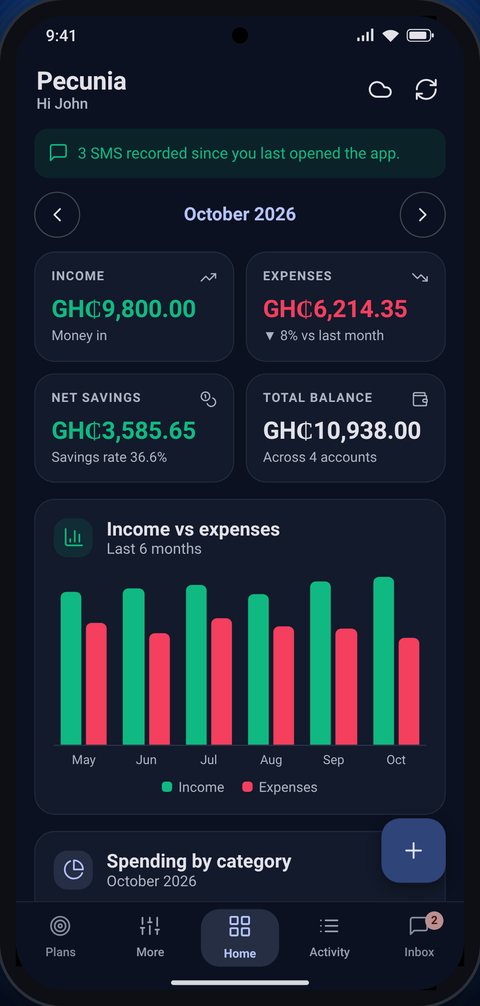
Pecunia is a personal finance app for how money really moves in Ghana: MoMo, bank, card and cash. It records your transactions from the alerts you already receive, then shows you exactly where your money goes.
What is Pecunia?
Most of us get paid and pay through several channels at once: mobile money, one or two bank accounts, a card, and cash. Keeping track by hand is tiring, so by the end of the month it's hard to say where the money went. Pecunia brings it all into one place.
On Android, Pecunia reads the transaction alerts your MoMo, bank and card providers send you, by SMS or as app notifications, and turns them into records automatically. You add cash in seconds. Pecunia then gives you budgets, savings plans and clear charts of your spending.
What Pecunia does
Everything you need to see, plan and control your money.
Your SMS does the typing
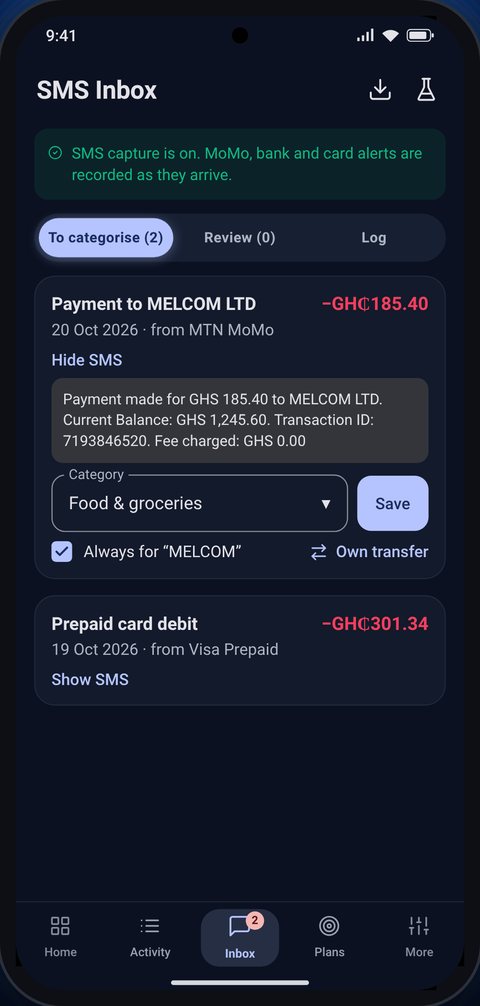
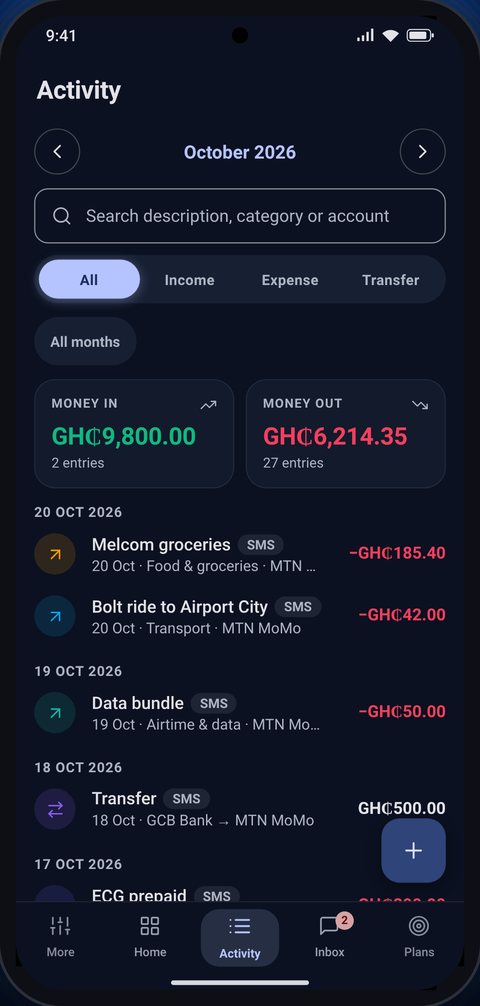
MoMo, bank and card alerts become transactions automatically, with amount, account, payee and date filled in.
Bank app alerts too
Banks that alert you in their app instead of by SMS are covered. If a payment arrives both ways, it's recorded once.
Sorted for you
Type “groceries” or “fuel” in your MoMo reference and the payment lands in that category. Rules like “Shoprite → Food” do the rest.
Cash in seconds
Log cash spending with one tap. An optional evening reminder makes sure nothing slips through.
Budgets that carry forward
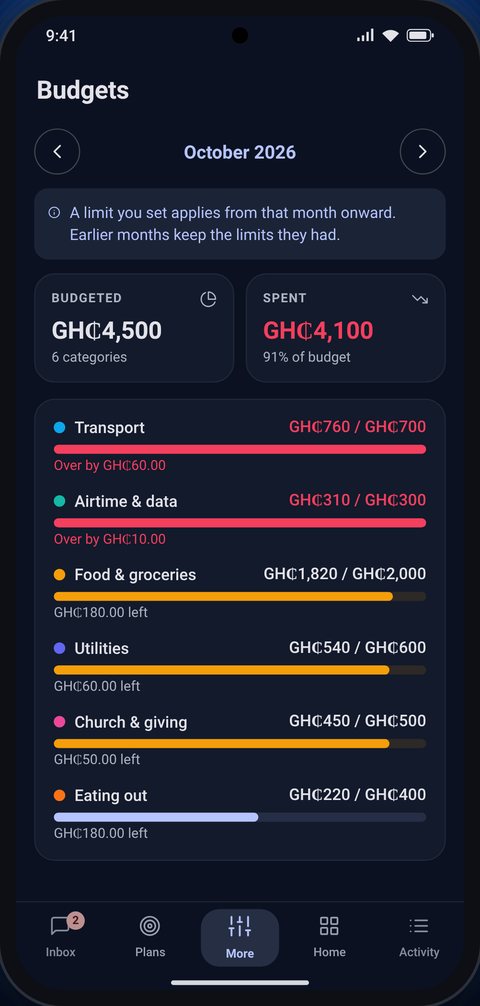
Set a monthly limit per category and see how close you are. Changes apply from that month on.
Plan projects & purchases
See how much to save each month for a project or something you want to buy, and whether your savings can cover it.
Interactive dashboard
On the web, explore all your history: click any chart to filter by month, category, payee, account or weekday.
Morning summary
A short note each morning: what you spent yesterday, the biggest item, and how the month is going.
Made for Africa
Ready-made MoMo and bank presets and currencies for Ghana, Nigeria, Kenya, Uganda, South Africa and more. Themes from OLED black to light.
How it works
Set up in a minute
Pick your country, MoMo and banks, and a theme. Your accounts are created for you.
Spend as usual
Alerts are recorded as they arrive. Tip: put a category word in the payment reference.
Review in Inbox
Anything Pecunia couldn't sort waits in Inbox: choose a category once, or say “always”.
See where it goes
Charts, budgets and plans show where your money goes and what to change.
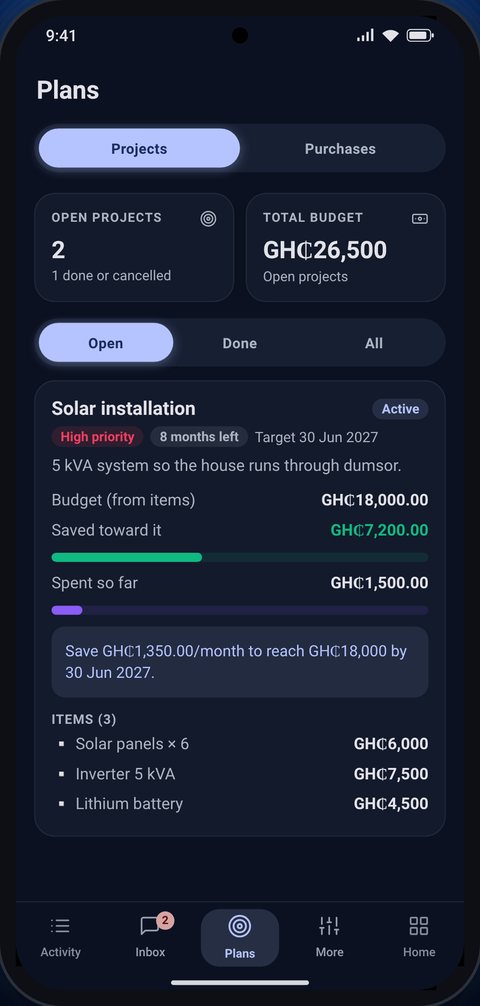
Screens show sample data.
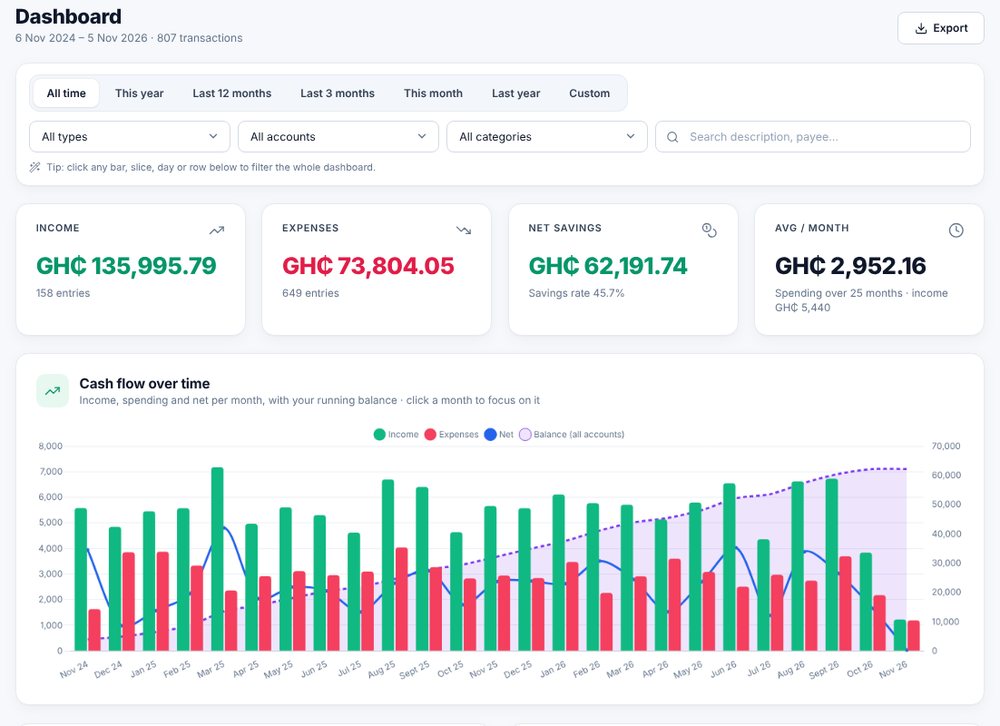
Your money on a big screen
Choose Google storage in the app and the same data opens on the Pecunia website, on any computer.
- An all-time dashboard with click-to-filter charts
- Year-by-year income, spending and savings rate
- Search, sort and export any view to a spreadsheet
- Changes on the phone and the website stay in sync
Free to try, then pay once
No subscription.
Pecunia
Free- Record income, expenses and transfers
- Accounts, categories and budgets
- Charts, reminders and themes
- Everything stored on your phone
Pecunia Pro
30 days free, then a one-time unlock- Automatic capture from SMS and bank-app alerts
- Google Drive sync and the Pecunia website
- Projects and planned purchases
- Bought once through Google Play
Your money data stays yours
Pecunia has no servers and no accounts of its own, and it shows no ads. Your transactions are saved either on your phone or, if you choose, in a spreadsheet in your own Google Drive. Nothing is sold or shared.
SMS and notifications. Pecunia only reads alerts that look like financial transactions, and only after you agree on its explanation screen and in Android's own permission prompt. Other messages and notifications are ignored and never stored.
Why Pecunia asks for Google access. Google sign-in is optional. If you choose Google storage, Pecunia asks only for access to files it creates (the drive.file permission), and uses it to keep your “Pecunia – Data” spreadsheet up to date and to open it on the website. It cannot see any other files in your Drive.
Pecunia's use and transfer of information received from Google APIs adheres to the Google API Services User Data Policy, including the Limited Use requirements. Read the full Privacy Policy and Terms of Service.